AI Image Prompts Features: How to Unlock the Full Power of Visual Creativity
Introduction
In the age of visual communication, AI image generation has become a revolutionary tool for creators, marketers, and businesses. Whether you use tools like DALL·E, Midjourney, Leonardo AI, Firefly, Gemini, ChatGPT, Grok, or Kling AI the secret to getting stunning, high-quality results lies in one crucial skill: writing effective AI image prompts.
AI image prompts are the foundation of AI creativity — they tell the system what to imagine, how to style it, and what emotions to evoke. In this article, we’ll explore the key features of AI image prompts, how they work, and how you can use them to create powerful visuals that stand out in 2025 and beyond.
1. What Are AI Image Prompts?
An AI image prompt is a text instruction that guides the AI to create a specific visual output.
For example:
❌ “Make a picture of a person.”
✅ “A confident woman entrepreneur standing in front of a futuristic city skyline, digital art, soft lighting, cinematic composition.”
The second prompt gives the AI a clear vision, context, and style — leading to much better results.
AI image prompts work like creative blueprints: the more detail, structure, and clarity you provide, the more accurately the AI can bring your imagination to life.
2. Core Features of AI Image Prompts
Let’s explore the main features that make AI image prompts so powerful and customizable.
A. Descriptive Detailing
AI image prompts rely heavily on descriptive keywords that explain what you want to see and how you want it to look.
Example:
“A majestic golden eagle flying over snowy mountains at sunrise, ultra-realistic 8K, warm lighting, detailed feathers, dramatic perspective.”
Each word adds precision — from subject (eagle) to atmosphere (sunrise), from style (ultra-realistic) to tone (dramatic).
🧠 Pro Tip: Always describe who, what, where, when, and how in your prompt.
B. Style and Art Direction
Style and Art Direction
You can specify the artistic style, mood, and medium of your image.
This feature allows you to control whether the output looks like a photo, digital painting, oil artwork, anime, or 3D render.
Example Styles:
“Cinematic photography”
“Cyberpunk digital art”
“Watercolor painting”
“3D Pixar-style render”
Example Prompt:
“A futuristic Tokyo street at night, cyberpunk style, neon lights, cinematic lighting, wide-angle perspective.”
Cinematic Photography Style
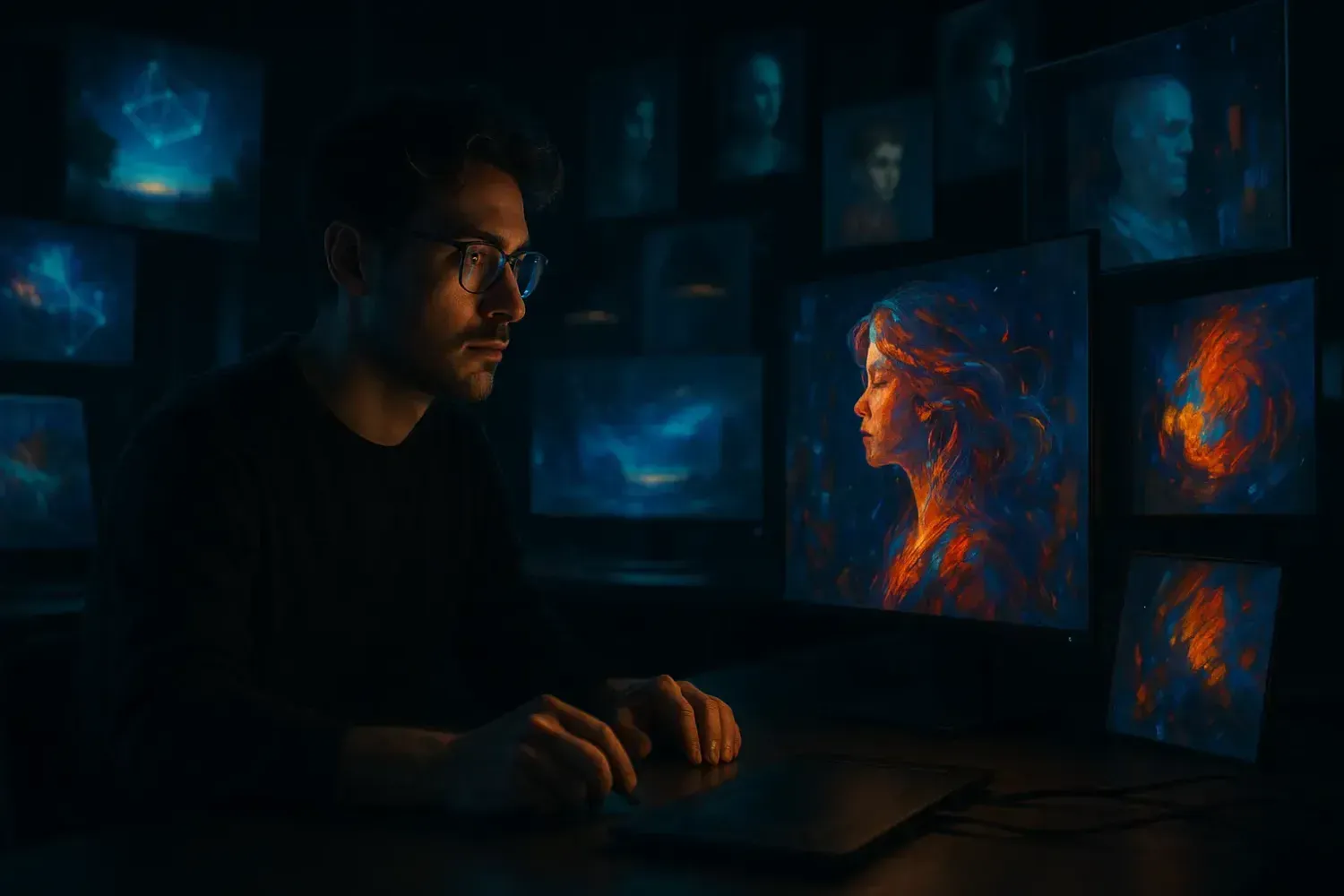
Prompt: A creative designer surrounded by floating holographic images and digital art screens in a dark modern studio, cinematic lighting, shallow depth of field, dramatic contrast between shadows and neon glow, ultra-realistic 8K photography, 16:9 aspect ratio, no text
Cyberpunk Digital Art Style
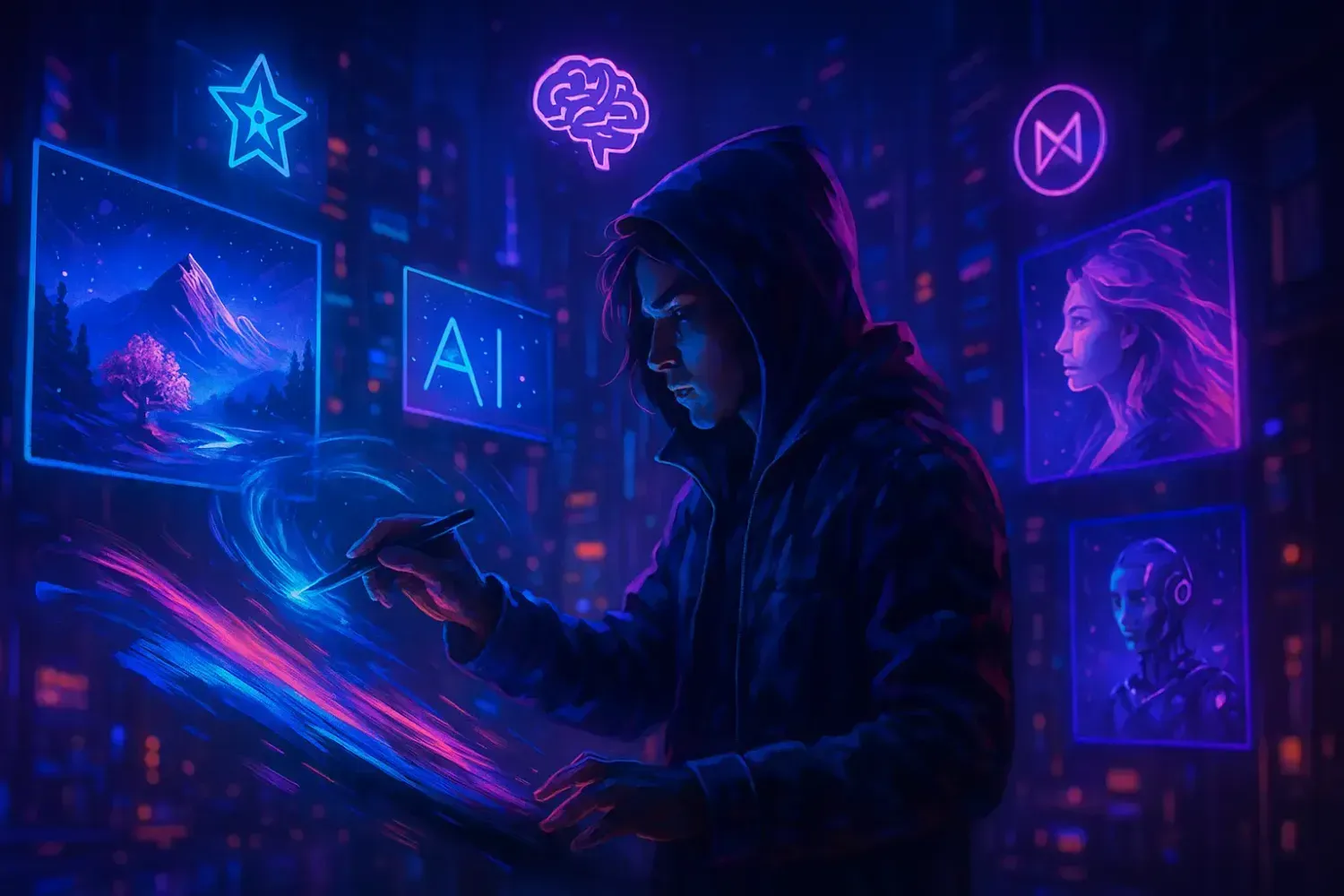
“A futuristic artist in a neon-lit city creating AI-generated images projected into the air, cyberpunk color scheme (neon blue, magenta, purple), high-tech holograms and AI symbols floating, glowing digital paint strokes, dynamic composition, ultra-detailed cyberpunk digital art, 16:9, no text.”
Watercolor Painting Style
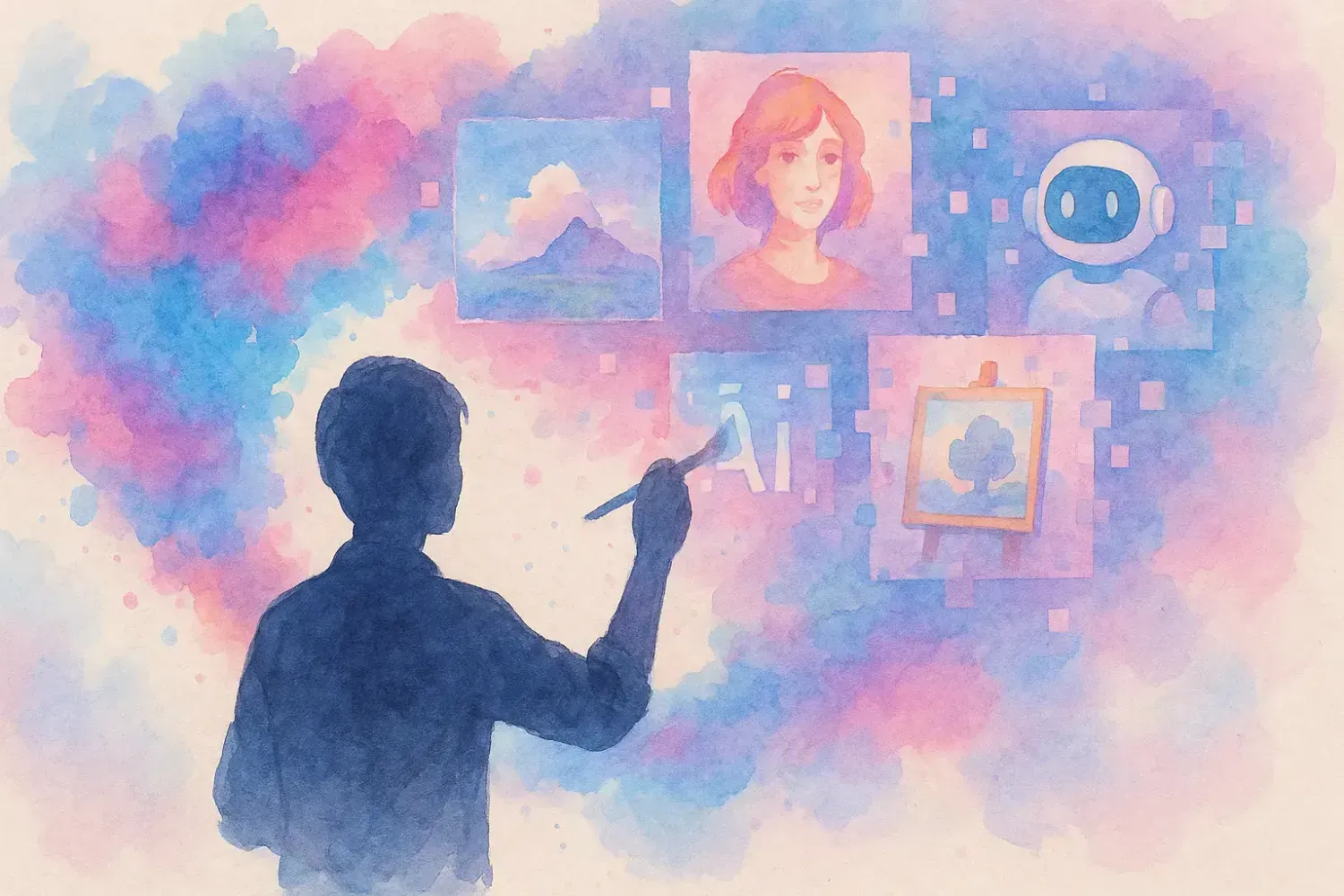
A human silhouette painting colorful ideas that transform into AI-generated images in the air, watercolor splashes blending into digital pixels, soft brush texture, pastel color palette (blue, pink, lavender), calm and artistic mood, watercolor illustration style, 16:9, no text.”
C. Composition and Perspective Control
AI image prompts can define the layout and point of view of the image.
This feature allows you to guide how the AI frames the scene — just like a photographer or director.
Keywords to Use:
Close-up, portrait, wide shot, aerial view, side angle, centered composition, symmetrical, minimal background.
Example:
“Top-down view of a workspace with laptop, notebook, and coffee cup, minimalist flat lay, natural light.”
D. Lighting and Color Tone
Lighting and color play a huge role in visual storytelling.
AI image prompts allow you to set the mood with specific lighting and palette descriptions.
Examples:
“Soft morning light, pastel tones.”
“Golden hour sunlight, warm glow.”
“Dark moody shadows, high contrast.”
Example Prompt:
“A fashion model walking under city lights at night, moody cinematic lighting, neon reflections on wet pavement.
E. Emotional and Thematic Direction
Want your image to feel something?
You can add emotional adjectives and themes that influence the mood and storytelling.
Examples:
“Joyful, dramatic, mysterious, romantic, peaceful, chaotic, heroic.”
Prompt Example:
“A lone astronaut standing on Mars, gazing at Earth in the distance, emotional, cinematic atmosphere of hope and solitude.”
F. Advanced Parameter Features (for AI Tools like Midjourney & DALL·E 3)
Many AI platforms allow you to add parameters and modifiers that fine-tune the generation.
Examples:
Aspect ratio: --ar 16:9 (for widescreen visuals)
Quality level: --q 2 (for high detail)
Stylization: --s 1000 (for artistic expression)
Seed: Fix a random value for consistent results
Example Prompt:
“A futuristic city skyline at sunset, ultra-detailed digital painting --ar 16:9 --q 2 --s 800”
These advanced features give you precise control over output quality, proportion, and creativity.
G. Multi-Prompt Composition
You can combine multiple ideas or elements into one scene.
This feature allows AI to merge various objects, characters, or themes into a unified image.
Example:
“A medieval knight holding a holographic sword in a sci-fi city, fusion of fantasy and cyberpunk, epic cinematic mood.”
AI seamlessly blends concepts, unlocking limitless creativity.
H. Negative Prompts
Negative prompts tell the AI what to avoid — crucial for professional-quality results.
Example:
“A portrait of a smiling woman, natural lighting, photorealistic — no text, no watermark, no distortion.”
This ensures your final image looks clean and production-ready.
3. Benefits of Using AI Image Prompts
| Feature | Benefit |
|---|---|
| Descriptive detail | High realism and creative precision |
| Style & tone control | Professional artistic direction |
| Composition control | Balanced and cinematic layouts |
| Emotional cues | Visual storytelling and engagement |
| Negative prompts | Clean, refined final outputs |
| Parameters | Custom aspect ratio and quality management |
4. How to Write Effective AI Image Prompts
Follow this 5-step formula to get perfect AI visuals:
Step 1: Define the Subject
Who or what is in your image?
Example: “A young businesswoman working on a laptop.”
Step 2: Add Context and Action
What’s happening and where?
“In a modern office, surrounded by futuristic holographic screens.”
Step 3: Specify Style and Lighting
“Digital art, cinematic lighting, cool blue tones.”
Step 4: Choose Composition
“Wide-angle perspective, centered subject.”
Step 5: Add Details or Modifiers
“8K resolution, ultra-realistic, professional aesthetic.”
Final Prompt Example:
“A young businesswoman working on a laptop in a futuristic office, surrounded by holographic screens, cinematic lighting, 8K ultra-realistic detail, wide-angle view.”
5. Example Use Cases for Businesses and Creators
✅ Marketing:
Create professional ad visuals, product mockups, or promotional art in minutes.
✅ Content Creation:
Design blog headers, thumbnails, or digital posters that match your brand tone.
✅ E-commerce:
Generate product backgrounds or lifestyle photos without photography costs.
✅ Social Media:
Produce daily creative visuals that grab attention and increase engagement.
✅ Brand Design:
Experiment with logos, styles, and moods for brand storytelling.
6. The Future of AI Image Prompting
AI image prompting is evolving fast — soon, you’ll create visuals using voice, sketches, or mixed-text instructions.
AI tools are becoming more human-like, understanding concepts, style preferences, and brand identity.
Those who master prompt writing today will lead the future of digital creativity tomorrow.
Conclusion
© 2025 PromptsBloom.com All rights reserved.